
- Players now
- 1/50 2% full
- 7-day average
- 0 peak –
- Rank
- #14,439 ▼ 4433 this week
- Wiped
- 31d 11h ago · 9 Sep, 00:26 UTC
- Next wipe
- – not predictable yet
- Team limit
- 8 no published schedule
Evaluation
six readings of the figures on this page, 0 to 100 each| Populationno average yet | – | |
|---|---|---|
| Standing#14,439 on player hours | 39 | |
| Uptime0 of the last 48 hours | – | |
| Performanceno direct query answered | – | |
| Wipe holdtoo few wipes seen | – | |
| Momentumdown 4,433 places this week | 35 |
The score is the average of the readings that have figures. Population is the seven-day average against the slots; standing is how near the top of the rank it is; uptime the hours of the last 48 on the list; performance its server fps, 60 or more counting as full; wipe hold the share of its recent wipes that kept half their crowd; momentum its rank against a week ago, 50 for no change. The tier is the rank alone: Titanium is the top 10, Master the top 50, Diamond 150, Platinum 400, Gold 1,000, Silver 2,500.
Population
Every five minutes, from the Steam server list.
Hourly average and peak, UTC.
Daily average and peak, UTC.
Wipe record
0 on recordNot enough wipes seen yet to tell. Every server wipes at the monthly force wipe.
| Date | Time | Peak | Lasted |
|---|---|---|---|
| No wipe seen yet. | |||
Performance
48 hours: hourly readings. 30 to 90 days: a point a day, measured since 26 Sep. Low fps and a climbing entity count mean lag.
Rank history
daily · 1 is bestTop 61% of all ranked servers. Ranked on player hours over the last seven days.
Intel
- Address
- 176.130.225.67:28015
- Region
- –
- Max players
- 50
- Group limit
- 8, the default
- Wipe schedule
- –
- Last wipe
- 9 Sep 2026, 00:26 UTC
- Hostname
- –
- First seen
- 26 Sep 2026
Server tags
what each tag it publishes means ·mp50,ptrak,$r?,v2633,gmvanilla,cs163493,ts8,^o^z| Game | gmvanilla | Game mode You play vanilla survival here. |
mp50 | Max players Capacity: 50. | |
ts8 | Group limit Team cap 8, which is the game default. | |
v2633 | Protocol Your game must run protocol 2633. | |
cs163493 | Build Game build: 163493. | |
ptrak | Networking RakNet handles the network layer here, as standard for the game. | |
$r? | Region code Region code: none. | |
| Mods and access | ^o | Oxide This server uses Oxide (uMod) for plugins. |
^z | Modded Modded category: plugins or changed settings apply. |
Flag meanings are Facepunch's.
Similar servers
the same kind of game, then region, group limit, rate and wipes- 1Survivors.gg | 2 x Vanilla | Monthlygroups of 30+ · monthly · 143 on averageUnranked82/200
- 2ShockRust | Blue | NoLimitno group limit · 131 on averageUnranked304/300
- 3404 RUST 2Х|ДЛЯ НОВИЧКОВ|РОССИЙСКИЙ 07.10EU · groups of 16+ · monthly · 115 on averageUnranked61/1000
- 4RETRO RUST #1 Х1000|NOLIMIT|LOOT++|KIT GLOBAL 9.10EU · groups of 16+ · weekly · 112 on averageUnranked208/245
- 5STEEL RUST /ДЛЯ НОВИЧКОВ /EU Thursday 08.10EU · groups of 70+ · monthly · 95 on averageUnranked37/300
- 6МИНИ-КАРТА 2Х | STORM | FPS+ 07.10EU · groups of 8+ · weekly · 91 on averageUnranked90/100
Briefing
quick answers, from the figures on this page01What is the rank position of GOD Over Djinn?
In the top 61% of all ranked servers, GOD Over Djinn holds #14,439 for player hours over the last seven days.
02What is the player count on GOD Over Djinn?
GOD Over Djinn was last seen 13 days 12 hours ago and is offline at this moment.
03Version of Rust on GOD Over Djinn: which one?
The Rust build on GOD Over Djinn is network protocol 2633 and build 163493, on Linux. Joining requires your game to be on the same protocol; Steam handles the update.
04Location of GOD Over Djinn: where?
There is no region published by GOD Over Djinn. Rust Server Now does not verify machine locations; it only shows where a server says it is. 176.130.225.67:28015 is its address.
05Uptime and current status of GOD Over Djinn: what are they?
Right now GOD Over Djinn shows as offline; last seen 13 days 12 hours ago. 0 of 168 hours up in the last 7 full days; that is 0%. Its first appearance in Rust Server Now data was on 26 September 2026.
06How should you read the tags on GOD Over Djinn?
gmvanilla (Game mode): You play vanilla survival here; mp50 (Max players): Capacity: 50; ts8 (Group limit): Team cap 8, which is the game default; v2633 (Protocol): Your game must run protocol 2633; cs163493 (Build): Game build: 163493; ptrak (Networking): RakNet handles the network layer here, as standard for the game; $r? (Region code): Region code: none; ^o (Oxide): This server uses Oxide (uMod) for plugins; ^z (Modded): Modded category: plugins or changed settings apply: that is the tag set GOD Over Djinn publishes for the game's server browser. The tags also carry its live players, its queue and its world creation time, and those appear at the top of this page.
07On which Rust Server Now lists does GOD Over Djinn appear?
GOD Over Djinn appears on the following Rust Server Now lists: Modded Rust servers. Under these filters, it appears on the server list: Type: Modded; Server tag: Modded ^z and Oxide ^o; Group limit: 5 or more.
08GOD Over Djinn wipes on what schedule?
GOD Over Djinn does not have enough wipes on record to establish its rhythm. The next force wipe falls on Thursday 5 November at 19:00 UTC, when every Rust server wipes. 31 days 11 hours have passed since its current world began.
09What map is running on GOD Over Djinn?
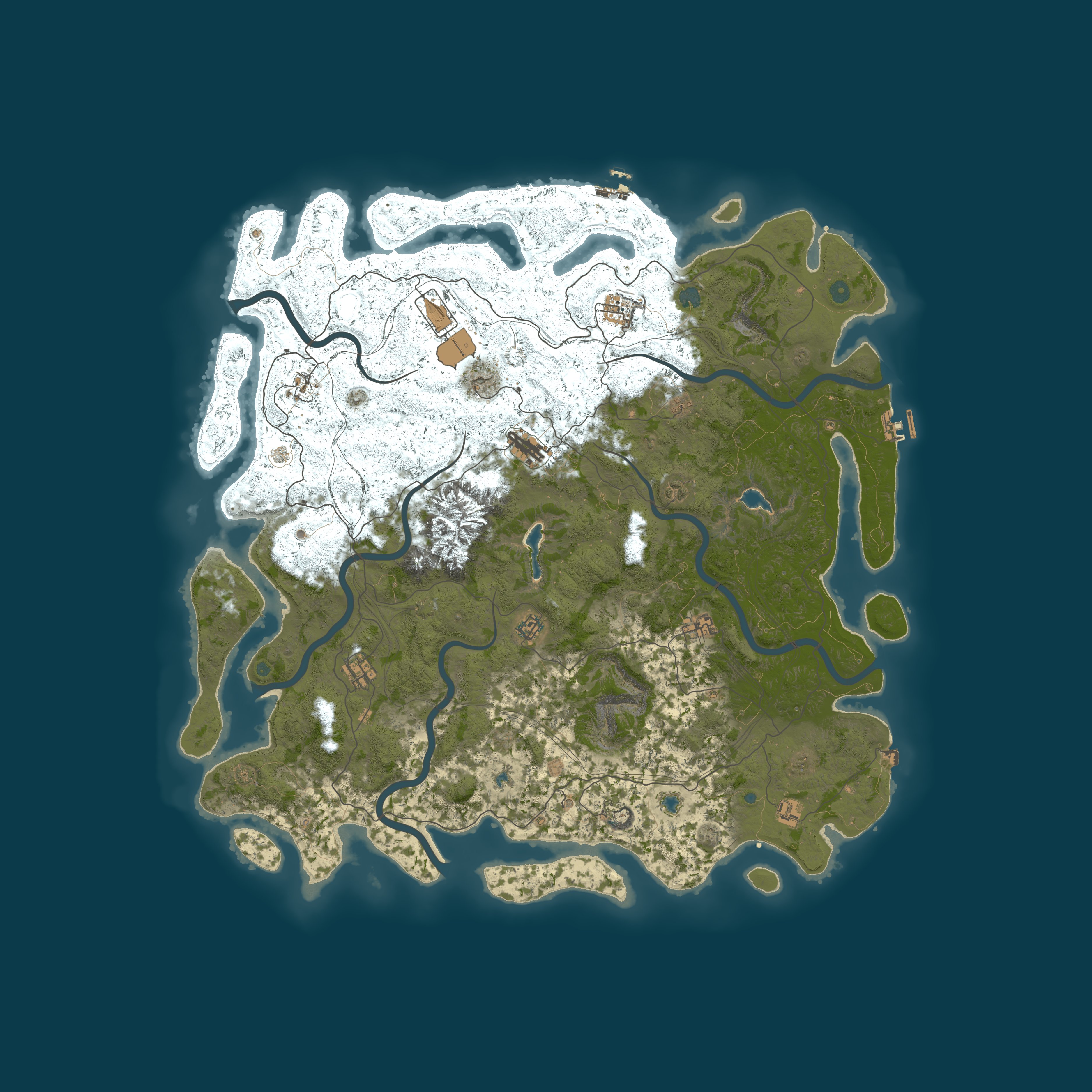
A procedural map of size 5,500 with seed 13318201, generated by the game, is in use on GOD Over Djinn. Size and seed together determine the map, which can be viewed on RustMaps from this page.
10Which rules apply on GOD Over Djinn, and what settings?
You will not find a gather rate in the name GOD Over Djinn. Up to 8 players can group, which is the game's default. survival is the game mode, gather, build and raid in the standard game. Fighting and raiding between players is allowed. Modded is its browser category: plugins or settings change the game. Plugins in use: Oxide. VAC, Valve's anti-cheat, is enabled.
11To join GOD Over Djinn, what must you do?
Press F1 in Rust and enter client.connect 176.130.225.67:28015, or click Launch Rust here to open Rust via Steam and join.